
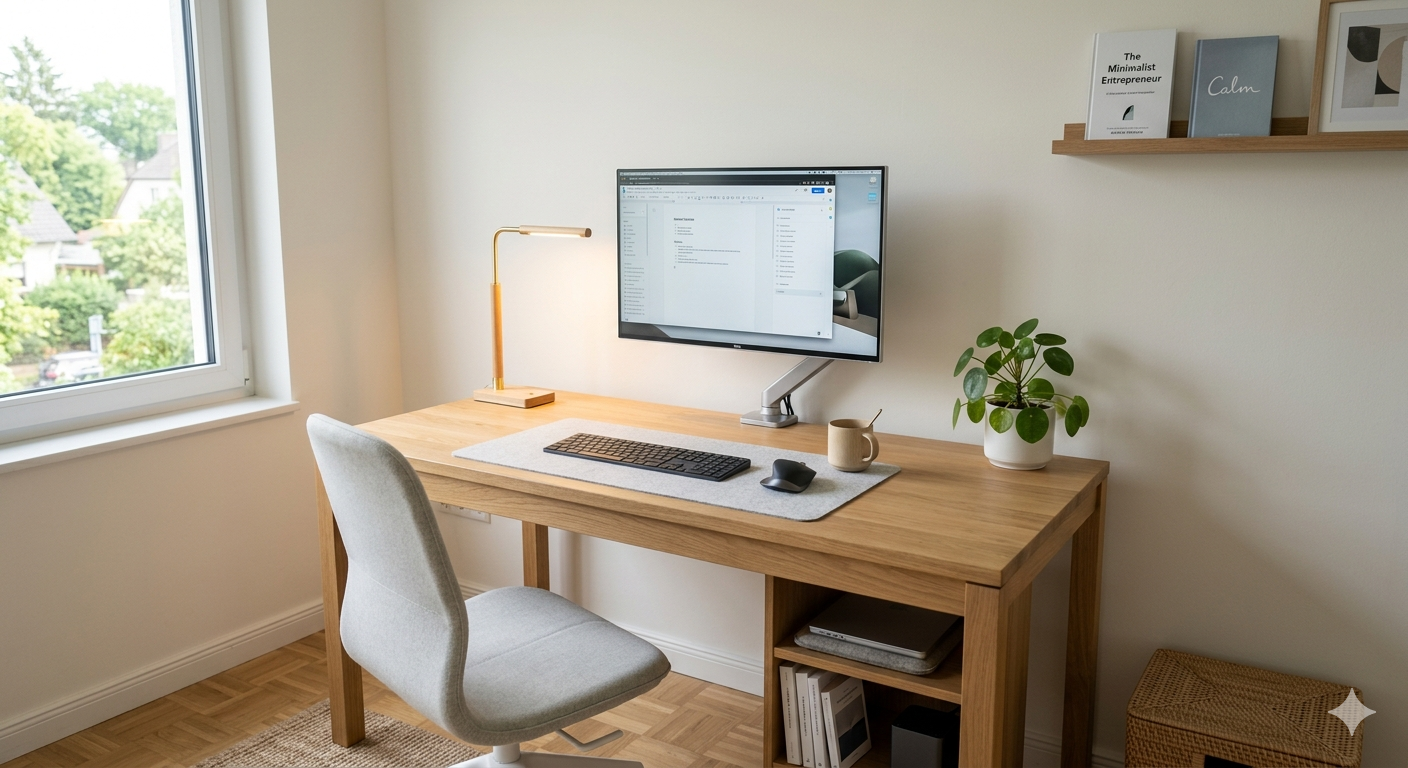

Freelancers do not need a fancy office to do great work. They need a space that feels calm, works fast, and does not waste time. That is where a minimalist smart home office setup for freelancers really shines.
- What Is a Minimalist Smart Home Office Setup?
- Why Freelancers Need a Minimalist Smart Office
- Core Smart Office Essentials
- 1. A good standing or sit-stand desk
- 2. Smart lighting
- 3. Smart plugs and smart power control
- 4. A smart speaker or hub
- 5. Cable management and clean storage
- Best Smart Office Devices in 2026
- BenQ e-Reading LED Desk Lamp
- Honeywell Sunturalux Foldable Modern Desk Lamp
- Flexispot E7 Pro Standing Desk
- Uplift V2 Commercial Standing Desk
- Leviton Decora Smart Wi-Fi Plug-in Switch (2nd Gen)
- Emporia Energy-Monitoring Smart Plug
- Comparison Table
- How to Choose the Right Setup
- Installation Guide
- Step 1: Clear the space
- Step 2: Place the desk first
- Step 3: Add the lighting
- Step 4: Plug in smart devices
- Step 5: Set automation
- Step 6: Hide cables
- Step 7: Test for one week
- Common Mistakes to Avoid
- FAQs
- 1. What is the best smart home office setup for freelancers?
- 2. Do I need a smart hub for a minimalist office?
- 3. What smart device should I buy first?
- 4. Is a standing desk worth it for freelancers?
- 5. How do I keep a smart office minimalist?
- 6. Which lighting is best for long computer work?
- Final Verdict
In my experience, the best setup is not the one with the most gadgets. It is the one that removes small problems before they turn into daily stress. A light that adjusts itself, a desk that supports your posture, and a plug that turns devices on with one tap can make work feel much easier.
If you live in a small home, this matters even more. Too many devices can make a room feel crowded, but the right smart tools can make it feel cleaner, calmer, and more professional.
What Is a Minimalist Smart Home Office Setup?
A minimalist smart home office setup is a work area with only the tools you truly need, plus a few smart devices that save time and reduce clutter.
The goal is simple: keep the desk clean, keep the workflow smooth, and remove daily friction. That means fewer cables, fewer extra items, and more automation. A smart office should support your work without demanding attention.
I recommend this approach because freelancers often switch between deep work, calls, editing, writing, and admin tasks. A setup that adapts quickly can help you stay focused longer.
Why Freelancers Need a Minimalist Smart Office
Freelancers work in flexible spaces. One day it is a bedroom corner. The next day it is a living room table. That is why the setup has to be light, smart, and easy to reset.
A minimalist smart office helps you save energy in two ways. First, it cuts visual clutter, which helps your mind feel less tired. Second, it automates small tasks like lighting and power control, so you can start work faster.
According to TechRadar’s 2026 smart-home guide, smart devices work best when they fit into a wider ecosystem, and Matter support is becoming more common across brands. That makes it easier to build a simple setup without locking yourself into one complex system.
Core Smart Office Essentials
A minimalist office does not need ten smart products. It needs a few high-impact ones.
1. A good standing or sit-stand desk
A desk is the center of the whole setup. If it feels shaky, too low, or too crowded, everything else becomes harder.
Current standing desk guides say to look at height range, motor quality, frame stability, weight capacity, and warranty before buying. Flexispot’s E7 Pro is highlighted as a strong mid-range value pick, while Uplift’s V2 Commercial is praised for premium stability and long warranty coverage.
2. Smart lighting
Lighting changes how your room feels and how long you can work without strain.
Business Insider Reviews says a good desk lamp should reduce eye strain, sharpen focus, and offer adjustable brightness and temperature. Their top pick, the BenQ e-Reading LED Desk Lamp, is tall enough for desktop computers, while the Honeywell Sunturalux Foldable Modern Desk Lamp is a compact budget option at about $40.
3. Smart plugs and smart power control
Smart plugs are one of the easiest upgrades you can make.
PCWorld says a smart plug is the easiest and least expensive way to enter home automation. You can control lamps and small devices from your phone, set schedules, and use voice commands with compatible smart speakers. Matter-certified models are especially useful because they work across more ecosystems.
4. A smart speaker or hub
If your office has a few smart devices, a voice assistant can make things simpler.
TechRadar notes that smart speakers help tie the system together, especially when they match your ecosystem, such as Alexa, Google Home, or Apple HomeKit. A hub is not always required, but it can make a setup feel smoother if you plan to grow later.
5. Cable management and clean storage
This is not flashy, but it matters more than people think.
A minimalist office only feels smart when the desk surface stays clear. Hide the power strip, clip the cables, and keep only daily-use items on the desk. Everything else should have a home.
More Topic’s:
10 Best Space-Saving Smart Kitchen Appliances for Studio Apartments (2026)
Best Smart Office Devices in 2026
Here are the strongest options if you are building a simple, freelancer-friendly smart office.
BenQ e-Reading LED Desk Lamp
This is one of the best choices for people who work long hours at a desk. Business Insider Reviews says it offers wide coverage, a large range of motion, adjustable brightness, and 13 color temperature settings. It also has an ambient light sensor that can adjust brightness automatically.
In my experience, a lamp like this is worth it if you do design work, writing, editing, or anything that keeps you at the screen after sunset. It is not the smallest lamp, but it gives a clean, premium feel.
Honeywell Sunturalux Foldable Modern Desk Lamp
This is a smart pick for small spaces. Business Insider Reviews highlights it as a budget-friendly option at about $40, and says it has a compact footprint with adjustable brightness and color temperature.
I recommend this because freelancers in small rooms often need lighting that does its job without taking over the desk.
Flexispot E7 Pro Standing Desk
Flexispot’s E7 Pro is a strong middle ground for freelancers who want quality without premium-brand pricing. Hustler’s Library says it has a dual motor, 355-lb capacity, a height range of 22.8″–48.4″, four memory presets, and a price around $450–$600 depending on setup.
That is a practical choice for people who want a desk that feels stable during calls and typing sessions.
Uplift V2 Commercial Standing Desk
This is the premium pick. Hustler’s Library says it is widely considered a benchmark for high-end standing desks, with a broad height range of 22.6″–48.7″, strong stability, deep customization, and a 15-year frame warranty. Prices start around $1,100 and can go higher.
If your office is your main income source, I recommend thinking of this as a long-term investment rather than just furniture.
Leviton Decora Smart Wi-Fi Plug-in Switch (2nd Gen)
PCWorld names this as its best smart plug. It supports Alexa, Google Assistant, HomeKit, and Matter, and does not need a hub to get started. PCWorld also describes it as compact and easy to use.
This is a strong choice for freelancers who want a simple, clean smart office without extra setup headaches.
Emporia Energy-Monitoring Smart Plug
PCWorld says this one is a good option for users who want to track energy use. It is affordable, detailed, and good for devices you leave plugged in most of the day.
I recommend this if you keep a lot of gear running and want to understand where electricity is going.
Comparison Table
| Product | Best For | Price | Pros | Cons |
|---|---|---|---|---|
| BenQ e-Reading LED Desk Lamp | Long work sessions | Premium | Wide light, adjustable settings, ambient sensor | Large frame may not suit tiny desks |
| Honeywell Sunturalux Foldable Lamp | Small rooms | About $40 | Compact, adjustable brightness, budget-friendly | Not tall enough for some desktop setups |
| Flexispot E7 Pro | Mid-range standing desk buyers | About $450–$600 | Stable, dual motor, memory presets | Still a bigger spend than basic desks |
| Uplift V2 Commercial | Premium home offices | About $1,100–$1,800+ | Very stable, customizable, long warranty | High price |
| Leviton Decora Smart Plug | Easy smart control | Varies by retailer | Matter support, compact, no hub needed | Initial HomeKit setup can take a little extra time |
| Emporia Energy Plug | Energy tracking | Affordable | Detailed energy tracking, good value | On/off only, no dimming |
How to Choose the Right Setup
Start with the problem you want to solve.
If your eyes feel tired, upgrade lighting first. If your back hurts, fix the desk. If you keep forgetting to turn things off, get smart plugs. If your workspace feels messy, cut the number of visible items.
For freelancers, the best setup usually follows this order: desk, chair, lamp, power control, then automation. That keeps the budget focused on the parts you use all day.
Also think about your room size. In a small home, a large desk can make the room feel tight. In that case, a compact sit-stand desk, a foldable lamp, and one smart plug may be enough.
[link to related article on best ergonomic chair for freelancers]
[link to related article on small bedroom office layout ideas]
Installation Guide
A minimalist smart office is easy to build if you do it step by step.
Step 1: Clear the space
Remove everything from the desk. Keep only the monitor, laptop, keyboard, mouse, and one light if needed.
Step 2: Place the desk first
Set the desk in a spot with enough natural light, but not direct glare on the screen.
Step 3: Add the lighting
Place the lamp on the side opposite your writing hand. That helps reduce shadows while you work.
Step 4: Plug in smart devices
Use one smart plug for your lamp or small device. Connect it with the app and test remote control.
Step 5: Set automation
Create simple routines. For example, turn the lamp on at work time and off after hours. Keep the routine easy so you actually use it.
Step 6: Hide cables
Use clips, sleeves, or a cable tray. The desk should look calm when you are not touching it.
Step 7: Test for one week
Work in the setup for several days before buying more. That helps you see what you truly need.
Common Mistakes to Avoid
The biggest mistake is buying too many smart devices too fast. A lot of people start with excitement, then end up with clutter and apps they never open.
Another mistake is choosing style over comfort. A pretty lamp or desk is nice, but it should still support long work sessions.
Do not forget ecosystem compatibility either. TechRadar points out that many smart devices still work best when they fit your chosen platform, though Matter support is helping bridge the gap.
Finally, do not ignore desk stability. A wobbly desk can ruin the feel of even the best setup. Standing desk reviews keep coming back to stability, height range, and weight capacity for a reason.
FAQs
1. What is the best smart home office setup for freelancers?
The best setup is simple: a stable desk, good lighting, one or two smart plugs, and a clean layout. It should help you work faster without making the room feel crowded.
2. Do I need a smart hub for a minimalist office?
Not always. Many modern smart plugs and lights work over Wi-Fi, and some support Matter. That lets you start without a hub.
3. What smart device should I buy first?
A smart plug is usually the easiest first step. PCWorld says it is the simplest and cheapest way to start with smart home control.
4. Is a standing desk worth it for freelancers?
Yes, especially if you spend many hours at your desk. Current buying guides stress stability, height range, and motor quality because those features affect daily comfort and long-term value.
5. How do I keep a smart office minimalist?
Buy fewer items, choose multi-use tools, and hide cables. The rule is simple: every item should earn its place on the desk.
6. Which lighting is best for long computer work?
A lamp with adjustable brightness and color temperature is best. Business Insider Reviews highlights the BenQ e-Reading lamp for exactly that kind of work.
Final Verdict
A minimalist smart home office for freelancers is not about building a tech showroom. It is about creating a quiet, reliable space that helps you stay focused and comfortable.
If your budget is small, start with a smart plug and a compact lamp. If your workday is long, move up to a better desk and stronger lighting. If your office is your main income source, a premium desk can be a smart long-term buy.
My recommendation is simple: build around comfort first, then add automation only where it saves real time. That is the kind of setup that stays useful after the excitement wears off.